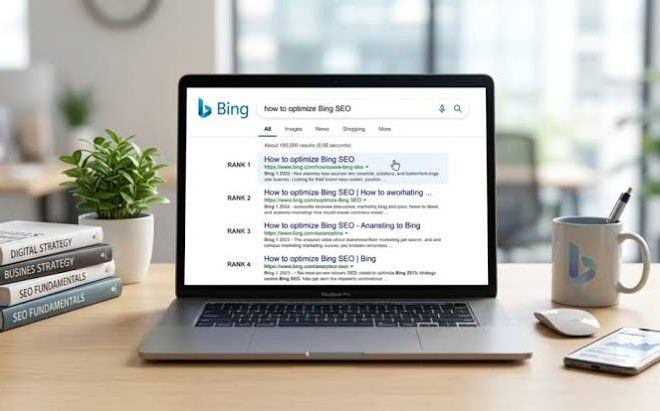
Bing Ranking Signals and On-Page Improvement Guide
Last updated: October 13, 2026
In short: Bing rewards pages that make the topic easy to understand, easy to trust, and easy to render, with on-page signals still doing much of the heavy lifting. Quick Answer: 5 changes often deliver the clearest lift for Bing visibility — title clarity, exact topical coverage, crawlability, semantic markup, and clean internal structure. In this guide to Bing ranking signals and on-page improvement, those five signals are the practical starting point before anything exotic.
What Bing ranking signals actually reward
Bing ranks pages that help its crawler, its parser, and its users do less work. That means the page has to make the subject obvious in the title, headings, body copy, links, and markup, while also loading in a way Bingbot can fetch without friction. Microsoft’s own Bing Webmaster Guidelines stress crawlability, clear structure, descriptive metadata, and quality content, which is the right mental model here: Bing is not looking for tricks first, it is looking for signals that the page is complete, readable, and credible. See the Bing Webmaster Guidelines from Microsoft and the Bing URL Submission API documentation on Microsoft Learn for the official baseline.
The biggest mistake I see in generic Bing advice is treating Bing like a smaller copy of Google with a few extra knobs. That misses how much Bing still depends on plain on-page clarity, and if the pattern is unclear it is wise to consult a qualified SEO professional and the Microsoft documentation before making larger changes. If a page buries the topic in vague headings, thin paragraphs, or decorative content blocks, Bing has less confidence in what the page is about. If the page presents the subject in the first paragraph, uses direct language in H2s, and supports the main term with related terms, that confidence rises quickly. See Microsoft’s Bing Webmaster Guidelines and Moz’s guidance on SEO fundamentals for a broader reference point.
Bing also leans hard on signals that many SEOs underweight because they look “basic.” Descriptive title tags matter. Clean URL slugs matter. Proper use of H1, H2, and H3 matters. Image alt text matters when images carry meaning. Schema markup matters where it fits the page type, especially for articles, products, local businesses, FAQs, and organization details. None of that is glamorous, but all of it makes the page easier to classify.
The point is not to stuff the main phrase everywhere. The point is to remove ambiguity. A good Bing page answers one primary query, covers the related sub-questions a human would ask next, and does so in a layout Bing can parse without guessing.
Which on-page signals matter most for Bing?
The most important on-page signals for Bing are the title tag, heading structure, body relevance, internal links, schema markup, image context, and technical cleanliness. If I had to rank them by practical impact, I would start with title and H1 alignment, then move to the completeness of the answer, then to structured data and crawl accessibility.
Title tags are the strongest visible topic cue on the page. Bing uses them heavily because they are concise and usually intentional. A title like “Bing Ranking Signals and On-Page Improvement Guide” tells the engine exactly what the page covers. A title like “Improve Your Website Today” does not. The same logic applies to the H1. The H1 does not need to repeat the title word for word, but it should point to the same subject, not a different angle.
Headings are the next layer. A page about Bing ranking signals and on-page improvement should not use generic section labels such as “Introduction,” “Tips,” and “Conclusion” and hope for the best. It should use headings that map to real subtopics: crawling, content quality, HTML structure, schema, and page experience. This helps Bing separate the page into understandable chunks.
Body copy needs to do more than repeat the keyword. Bing can see term relationships, not just exact-match phrases. That means words such as “title tag,” “meta description,” “internal links,” “crawlability,” “schema,” “HTML,” and “indexing” should appear where they belong naturally. If the page uses only the exact phrase “Bing ranking signals” and nothing else, it looks thin. If it uses a useful cluster of related terms, it looks like a real guide.
Internal links matter because they show where the page sits in the site’s topical map. A page that links to related Bing, SEO, content, and technical pages tells Bing the site has depth. Image alt text matters when the image is part of the explanation. If a chart shows a page hierarchy or a markup example, the alt text should describe that chart plainly.
The real shift comes from thinking of Bing as a reader with a short attention budget. It wants fast clarity. It wants the page to prove relevance early.
How do I improve a page for Bing without rewriting the whole site?
You can improve a page for Bing without a full redesign by fixing five things on the page itself: the title, the opening paragraph, the headings, the supporting entities, and the structured data. That is often the most efficient path, and it usually beats broad “SEO refresh” work that never touches the actual content shape. According to Google’s own Search Essentials and Microsoft’s Bing Webmaster Guidelines, clarity and crawlable structure are both core requirements, not optional extras.
Start with the title tag. Make it specific, not clever. “Bing Ranking Signals and On-Page Improvement Guide” is stronger than a vague benefit title because it names the topic plainly. Then check the first 100 words of the page as a general best-practice review, because many crawlers and readers use the opening to confirm relevance quickly. If the page is about Bing signals, say Bing signals. If the page is about on-page improvement, say that too.
Next, look at the H2s. Each H2 should answer a meaningful question or cover a distinct subtopic. A strong page on this topic might include sections on what Bing rewards, which elements matter most, how to improve without a redesign, where pages fail, and what to measure after changes. If the H2s are all variants of the same idea, the page feels padded.
Then clean up the body copy. Add the terms Bing expects to see around this subject: crawlability, metadata, schema, internal links, mobile usability, page speed, image alt text, canonical tags, and topical relevance. Do not force them into every paragraph. Use them where they explain the work. Bing is better at seeing topic coverage than many writers give it credit for, but it still depends on obvious cues.
Structured data is worth adding when it matches the page type. Article schema is a sensible default for a guide. FAQ schema can help if the page ends with a real FAQ. Organization schema helps brand signals on the site level. I would not add every schema type just because it exists. Over-marking a page with irrelevant schema can create noise and maintenance pain.
This kind of update is good for pages that already have a clear purpose but weak execution. It is not enough for pages that are fundamentally off-topic, cannibalized by similar pages, or buried under poor site architecture.
What Bing ranking signals does a generic SEO guide usually miss?
A generic SEO guide usually misses Bing’s dependence on straightforward structure, its sensitivity to crawl friction, and its willingness to reward pages that make entity relationships obvious. That omission matters because Bing can be less forgiving of messy page architecture than many people assume.
The first miss is structure. A lot of generic advice says “write quality content” and stops there. Quality content is not enough if the page is hard to parse. Bing wants visible hierarchy. A page with one H1, logical H2s, and relevant H3s gives the crawler a map. A page with styled text that looks like headings but is not coded as headings does not. If the markup is messy, the signal weakens.
The second miss is crawl friction. Bingbot still needs to fetch the page and see it cleanly. Heavy script dependence, blocked assets, broken canonicals, and inconsistent server responses can make a page harder to evaluate. A page can be excellent in copy and still underperform if the bot cannot access the critical content or the page takes too long to render. Technical SEO is not separate from on-page improvement here; it is part of the same signal set. Google has made a similar point in its documentation on crawl accessibility and page experience.
The third miss is entity clarity. Bing benefits from clear names, terms, and relationships. If a page is about Bing ranking signals, it should not hide that subject behind fluffy language. If it mentions page speed, it should connect that idea to rendering and usability. If it mentions schema, it should explain the schema type and what it describes. That makes the page semantically richer.
A lot of writers also ignore image context. If a page includes screenshots, charts, or diagrams, the file names and alt text should support the page’s topic. A screenshot of Bing Webmaster Tools with no caption, no alt text, and no explanation is wasted on-page signal.
The final miss is intent match. Bing wants the page to satisfy the query without making the user click back immediately. If the page promises ranking signals, it should not spend 1,000 words on unrelated SEO history. That mismatch is where many “complete guides” fail. They read like a summary of the field rather than a direct answer to the query.
What went wrong when pages underperform in Bing?
Pages underperform in Bing when they are vague, thin, hard to crawl, or built around the wrong keyword shape. That failure usually costs the page both relevance and trust, and it can do so before a human ever reads more than the first screen.
The most common problem is imprecise page intent. A page may say it is about Bing ranking signals, but the title, headings, and opening paragraph talk about “SEO best practices” in general. That weakens the topical signal. Bing can still infer the subject, but it has less certainty. Pages that win usually make the topic unmistakable in the first few lines and the first few headings.
Another problem is shallow coverage. A guide that repeats “create quality content” in different ways without discussing crawlability, metadata, schema, heading order, internal links, and technical access is not complete. It looks complete at a glance, but it gives Bing too few distinct clues. That hurts especially for competitive informational terms, where many pages say the same broad thing.
Broken or awkward technical setup is another cost center. If the page is blocked, canonicalized incorrectly, or reliant on scripts that fail to render critical content, Bing may see less than the writer intended. That can flatten performance even when the copy is solid. This is why I would not treat on-page optimization as purely editorial without checking the technical side and, when needed, consulting a professional. The HTML matters.
A fourth issue is clutter. Pop-ups, ads, repeated CTA blocks, and decorative modules can distract from the main topic. Bing does not rank pages because they are pretty. It ranks pages because they are readable and useful. If the useful content is pushed too far down, that is a self-inflicted wound.
This section is also where I would be honest about the limits of on-page work. A page cannot outrank a stronger competitor forever if the site has weak authority, poor links, or a thin topical cluster. On-page improvements can raise a ceiling, but they do not erase site-level disadvantages.
Which fixes usually deliver the best on-page improvement?
The best fixes usually are the ones that improve clarity fastest: rewrite the title tag, tighten the opening paragraph, rebuild the headings, add specific related terms, and validate the schema. Those changes are not flashy, but they often change how Bing interprets the page within a crawl or two.
I would start with the title and H1 pair. They should describe the same subject from two angles, not fight each other. If the title says “Bing Ranking Signals and On-Page Improvement Guide,” the H1 can be slightly more conversational, such as “How Bing Reads On-Page Signals.” That keeps the topic aligned while sounding human.
Next, I would rewrite the first paragraph so it names the core problem and the answer right away. For this topic, the answer is that Bing needs clear on-page cues, readable structure, and technically accessible content. That framing matters because many pages delay the subject until paragraph three or four.
Then I would audit the headings. Every major subsection should earn its existence by adding a new dimension. One section for what Bing values, one for how to improve a page, one for what usually goes wrong, one for the trade-offs, one for a practical checklist. If two sections say almost the same thing, merge them.
After that, I would add or refine schema where it makes sense. Article schema is the minimum for a guide. FAQ schema is useful if the page truly contains questions and short answers at the end. Organization schema helps if the page is part of a site that wants stronger brand understanding.
I would also tighten image handling. Rename files descriptively, add useful alt text, and make sure screenshots have context in the copy. That sounds small, but it helps the page become easier to interpret. Finally, I would check internal links and canonicals. A strong page that points to related content and resolves duplicates cleanly usually sends a better signal than a page that sits isolated.
What these fixes are not: magic. They will not save a page with no search demand, no unique value, or a site that has broader trust problems.
What should I measure after making Bing on-page changes?
You should measure crawl response, impressions, clicks, query mix, and the page’s ability to hold a clear topic over time. Those are the signals that tell you whether Bing is reading the page the way you intended.
Start with Bing Webmaster Tools. Look at impressions and clicks for the target query family over a reasonable window, not a few noisy days. Track whether the page starts appearing for the exact topic phrase and related phrases such as “Bing SEO signals,” “Bing ranking factors,” “Bing on-page SEO,” and similar variations that fit the page. The query mix matters because it shows whether Bing understands the page as a topical answer or only as a loose match.
Check crawl and fetch behavior too. If the page is slow, unstable, or returns inconsistent render results, Bing may struggle to evaluate it. That is especially relevant for pages with heavy JavaScript, large media files, or complicated templates. A clean crawl path can matter as much as a better paragraph. Google PageSpeed Insights and Bing’s own webmaster documentation both point toward fast, accessible pages as the safer baseline.
I would also watch whether the page starts earning better engagement from the SERP side. If impressions rise but clicks do not, the title and snippet may still be weak. If clicks rise but the page does not hold visibility, the content may be answering the query only partially. That tension tells you where the next edit belongs.
The useful habit here is to look for topic alignment, not vanity spikes. A page can jump for a week because of a minor recalculation and still not be truly improved. I care more about whether the page gets indexed cleanly, ranks for the intended subject, and holds that position with stable query relevance.
There is one honest limit. Bing does not publish a simple scorecard for “on-page quality,” so the evidence is indirect. That means the best measurement is a mix of search appearance, crawl behavior, and query coverage, not one metric pretending to explain everything.
Bing on-page checklist for a page that needs fixing
A Bing-ready page needs a clear title, one main topic, visible heading hierarchy, useful related terms, descriptive images, and clean technical delivery. That checklist is short because Bing responds best to clarity, not ornament.
- Title tag names the topic directly.
- H1 matches the title’s intent.
- First paragraph states the subject plainly.
- H2s cover distinct subtopics, not repeats.
- Body uses related terms naturally.
- Images have descriptive alt text where needed.
- Article or FAQ schema matches the page.
- Canonical tag points where it should.
- Internal links connect to relevant pages.
- Mobile rendering shows the same core content.
I would use this list on any page before chasing advanced work. It catches the errors that cost most pages visibility: weak intent, poor structure, and unreadable markup. It also helps separate pages that need content edits from pages that need technical cleanup.
One useful test is simple: can I tell what the page is about from the title, the first paragraph, and the H2s alone? If the answer is no, Bing probably cannot either. Another test: if I remove the design and look only at the HTML text order, does the page still read like a useful guide? If the answer is no, that page has a structure problem, not just a copy problem.
This checklist is not for pages that are already strong and stable. It is for pages that need a fast diagnosis. It also is not a substitute for topical authority. A site that wants to rank consistently on Bing needs a cluster of related content, not one polished page sitting alone.
FAQ
Does Bing care more about exact keywords or topical relevance?
Bing cares about topical relevance more than repeated exact keywords. A page that uses the main phrase once in the title, once in the opening, and then covers the subject thoroughly with related terms is usually stronger than a page that repeats the exact keyword over and over.
Are schema markup and structured data worth the effort for Bing?
Yes, if the schema matches the page type and the markup is accurate. Article, FAQ, Organization, Product, and LocalBusiness schema can help Bing interpret the page faster, but irrelevant or sloppy markup can create maintenance problems without giving much back.
Is Bing harder or easier to optimize for than Google?
Bing is often more forgiving of straightforward on-page clarity and more dependent on explicit signals than people expect, but it is still competitive. A page that is vague, thin, or technically messy will struggle on both engines.
What is the fastest on-page change I should make first?
The fastest useful change is usually the title tag and opening paragraph. If those two pieces state the topic clearly and align with the H1, Bing gets a cleaner signal immediately.
Should I rewrite every page for Bing?
No. I would start with pages that already have search demand, clear intent, and weak execution. Pages with no demand, no topic focus, or serious technical issues need a different fix than a simple on-page rewrite.
Key Takeaways
- Bing responds best to pages that make the topic obvious, not clever.
- Title tags, H1s, and early copy carry more weight than most thin “SEO tips” posts admit.
- Related terms, headings, and schema help Bing understand the page’s subject and shape.
- Crawlability is part of on-page work, not a separate task.
- The best first fixes are usually clarity fixes: title, opening, headings, and markup.
- A page can improve and still not rank if the site lacks broader topical strength.
- Measurement should focus on query relevance, crawl behavior, and stability over time.
Drafted with AI; not yet reviewed by a person.