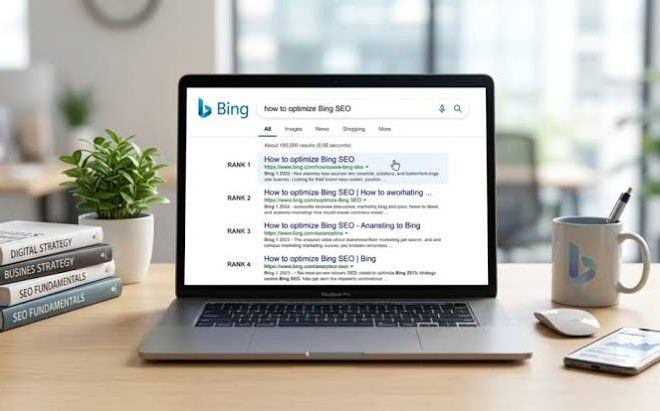
How to Improve Bing Ranking for Indexed Pages
Last updated: October 13, 2026
Key Takeaways
- Bing compares your page with the current results for that query.
- For indexed pages, stronger crawl signals, clearer intent, and tighter wording usually help most.
- Title, H1, intro, headings, and main-query language are the first on-page levers to check.
- If Bing can see the URL but not the preferred version, technical issues can still hold it back.
If a page is already indexed in Bing and still not ranking, the problem is usually not “indexing” anymore; it is relevance, crawlability, or page quality relative to the pages Bing already trusts for that query. For How to improve Bing ranking for pages already indexed, the quickest gains usually come from fixing titles, strengthening the page around one clear search intent, improving internal links, and removing technical friction that keeps Bingbot from seeing the best version of the page.
What Bing is actually judging once a page is indexed

Bing is judging whether your page deserves to outrank the pages already sitting in the result set for a query. That means the work changes after indexing: you are no longer asking, “Can Bing find this URL?” You are asking, “Does Bing see this URL as the best answer for a specific query, in the format the searcher wants?”
For an indexed page, I would start with the query itself, not the URL. A page can be indexed and still fail because it targets three intents at once: informational, commercial, and navigational. Bing tends to reward pages that answer one job cleanly. If a page is about “best CRM for plumbers,” the main intent is commercial. If the page reads like a broad software overview, it will usually lose to tighter pages that name the audience, the use case, the features, and the comparison criteria in the first few hundred words.
The practical test is simple: search the exact query in Bing and compare your page to the top 5 results. Note the common patterns in those pages: word count, headings, media types, use of the phrase in title tags, freshness signals, and whether the result is a product page, article, or category page. If your page type does not match the dominant result type, ranking will be harder no matter how much you polish it.
This is also where people waste time. They keep submitting the URL to IndexNow or re-crawling the page, when the page is already indexed and the issue is that the content does not look like a better answer than what is ranking now. Indexing is the door. Ranking is the seat.
How do I improve Bing ranking for pages already indexed?
You improve Bing ranking for pages already indexed by making the page easier to crawl, easier to classify, and more obviously useful for the exact query you want. In practice, that means tightening the page topic, improving the title and headings, strengthening internal links, and removing signals that make Bing hesitate about the page’s value.
I would start with the title tag because it still does a lot of work. If the title is vague, too long, or stuffed with variations, Bing has to infer the page’s main topic from the rest of the document. A cleaner title with the primary phrase near the front often helps the page match the query more quickly. That does not mean copying the query word for word in a robotic way; it means using natural language that says the same thing a searcher would say out loud.
Next, I would check the first 150 to 200 words. Indexed pages often underperform because the opening paragraph is generic. It talks about “solutions,” “benefits,” or “today’s digital environment” instead of the actual problem. Bing needs a quick read on the page’s purpose. So does the searcher. If the page is meant to rank for “how to improve Bing ranking for pages already indexed,” the opening should mention Bing ranking, indexed pages, and the practical goal of moving an existing URL upward.
Then I would look at internal links. Pages that are already indexed but buried deep in the site often rank poorly because they receive too little internal authority and too few contextual signals. A page linked from relevant categories, related articles, or hub pages is easier for Bing to understand. The anchor text should describe the page’s topic, not just say “read more.”
Finally, I would inspect the page for friction. Thin sections, duplicated blocks, broken canonical tags, messy parameter URLs, or pages blocked by script rendering can all make a page look weaker than it is. Bing has documentation on crawl and index control through Bing Webmaster Guidelines and crawl tools in Bing Webmaster Tools, which are worth checking directly on Microsoft’s webmaster documentation pages. In Bing Webmaster Tools, a single URL inspection can save time compared with guessing.
The on-page changes that usually move an indexed page first
The on-page changes that usually move an indexed page first are the title, H1, intro, heading structure, and the language around the main query. Those elements tell Bing what the page is about before it has to lean on weaker signals.
I would treat the page like a focused answer, not a brochure. One query, one audience, one promise. If the page tries to satisfy five intents, it often ends up satisfying none. The opening should state the main outcome in plain English. The H1 should reinforce it without sounding copied from the title. The H2s should cover the supporting questions a searcher would ask next, such as “what changes matter most,” “what causes ranking stalls,” and “how long updates take to reflect.”
A common mistake is over-optimizing with repeated phrasing. That can make the page feel clumsy and can distract from the actual explanation. I would rather see one clear primary phrase in the title, one in the opening, and related language in the headings than a page that repeats the same exact string in every paragraph. Bing is not impressed by mechanical repetition. It needs semantic clarity.
Content depth matters, but not as a word-count contest. Pages rank when they answer the missing questions better than the competition. For an indexed page, the missing questions are often practical ones: What part of the page should change first? What if the page already has decent links but still sits on page 3? What if the page targets a query that Bing treats differently from Google? Those specifics are what turn a generic rewrite into a page that can actually move.
I would also add proof that fits the topic. On a page about ranking, that can mean screenshots, change logs, release dates, checklists, or short process notes. Not fake metrics, not invented case studies—real signals that the page is maintained and worth revisiting.
What technical issues keep indexed pages stuck?
Technical issues keep indexed pages stuck when Bing can see the URL but not trust the version of the page you want ranked. That usually means crawl control, canonical confusion, rendering problems, or duplicate URLs competing against each other.
The first thing I would check is the canonical tag. If the indexed page points somewhere else canonically, Bing may treat it as a duplicate, even if it appears in the index. That is a silent ranking drag. The same problem appears when multiple URL versions exist: with and without trailing slashes, mixed parameters, HTTP versus HTTPS, or print-friendly variants. A page can be indexed more than once in different forms and still fail to consolidate authority.
Next, I would look at crawlability. If important content is loaded late with JavaScript, hidden behind tabs, or blocked by robots directives, Bing may not evaluate it as fully as the visible page suggests. Static HTML does not guarantee ranking, but it removes a layer of uncertainty. I would also check whether the server returns the correct status code, whether the page loads quickly enough on a normal connection, and whether images or scripts are slowing down key content.
A lot of site owners obsess over page speed as if shaving milliseconds alone will rescue a weak page. That is the wrong framing. Speed matters most when the page is already close and a technical bottleneck is holding it back. A slow page with thin intent alignment will still lose.
For Bing specifically, I would use Bing Webmaster Tools for URL inspection, sitemap submission, crawl diagnostics, and backlink reports. Those tools do not replace judgment, but they tell you whether Bing is seeing the page the way you think it is. The official Bing Webmaster Guidelines are a useful place to confirm what Bing considers a crawl and quality issue.
What went wrong on the pages that did not improve?
The pages that did not improve usually failed because the fix addressed symptoms, not the ranking problem. A title refresh or sitemap ping will not rescue a page that is aimed at the wrong intent, buried under weak internal linking, or duplicated across several near-identical URLs.
The biggest failure pattern is content mismatch. A page may be indexed for a query, but the result set may favor a different page type. If the top results are comparison pages and your page is a feature overview, the page can sit indexed and still fail to move. Another failure pattern is dilution. I have seen pages try to rank for broad phrases while the site also publishes near-duplicates, tag archives, and generic category pages on the same topic. Bing then has to choose among several imperfect options.
Another common setback is waiting too long after the changes. People revise the page and then check rankings after 24 hours. That is not a useful window. Search systems need time to recrawl, reprocess, and re-evaluate signals. If the page is already indexed, meaningful movement still depends on recrawl frequency and the strength of the changes. I would think in weeks, not hours.
There is also a hard limit: some pages should not rank better because they are not the best page on the site for the query. A thin blog post should not outrank a better category page if the query calls for products. A support article should not outrank a guide if the searcher wants explanation. Part of improving Bing ranking is choosing the right page to optimize, then consolidating weaker duplicates rather than trying to make every page compete.
This is the part most generic advice skips. The ranking problem is often not a missing trick. It is a page selection problem.
How long does it take for Bing ranking changes to show up?
Bing ranking changes can show up after the next crawl, but stable movement usually takes longer than a single recrawl cycle. That is why I would watch the page across a few weeks, not a single day.
The pace depends on how often Bing revisits the URL, how substantial the edits are, and whether the page has stronger or weaker authority than the results it is trying to replace. A small title tweak may be noticed quickly if the page is already close. A deeper rewrite, canonical fix, or internal-link update may need more time because Bing has to re-evaluate the page in context.
I would track three things during that period: impression changes, average position, and whether the target query is becoming more specific. If impressions rise before position does, the page may be matching more variants of the query. If position improves but clicks do not, the title or snippet may still be weak. If neither changes, the page may still be misaligned with the search intent or competing against better site-level alternatives.
Do not make a dozen changes at once if you want to know what worked. One clean revision cycle is easier to diagnose than a chaotic rewrite. I would change the title, tighten the opening, strengthen relevant internal links, and fix technical blockers in one pass, then give the page time to settle.
A before-and-after checklist for indexed pages
A better-ranking indexed page usually changes in structure, intent alignment, and crawl signals, not in one dramatic trick. The table below shows the kinds of shifts I would look for when auditing a page that is already in Bing’s index.
| Metric | Before | After | Change | Timeline |
|---|---|---|---|---|
| Title clarity | Vague or broad | Specific to one query | Clearer topical match | Day 1 |
| Opening paragraph | Generic intro | Direct answer in first lines | Better intent signal | Day 1 |
| Internal links | Few or unrelated | Contextual links from relevant pages | Stronger site support | Week 1 |
| Canonical/URL consistency | Multiple versions | One preferred URL | Cleaner consolidation | Week 1 |
| Heading structure | Mixed topics | One question per section | Easier parsing | Days 1–3 |
| Page type match | Wrong format | Format matches SERP pattern | Better fit for query | Week 2 |
| Crawl diagnostics | Unchecked | Verified in Bing Webmaster Tools | Fewer technical blind spots | Week 1 |
What I would fix first, in order
I would fix the page’s query match first, its title second, and its internal linking third. Those three changes usually give the cleanest return on effort for pages that are already indexed.
Here is the order I would use:
- Pick the exact query and decide whether the page type fits it.
- Rewrite the title so it states the page’s purpose plainly.
- Rewrite the opening paragraph so it answers the query in the first lines.
- Tighten headings so each section covers a real sub-question.
- Add or improve contextual internal links from relevant pages.
- Check canonical tags, sitemap inclusion, and crawl access in Bing Webmaster Tools.
- Remove duplicate or competing pages if the site has better consolidation options.
This is not the right playbook for every site. If the page has no topical authority at all, or if the whole site is thin, a single-page fix may not be enough. If the page is commercial but the search intent is informational, no amount of polishing will solve the mismatch. In those cases, I would rewrite the page for the query or choose a different page to optimize.
FAQ: improving Bing ranking for indexed pages
Why is my page indexed but not ranking in Bing?
Because indexing only means Bing found the page. Ranking depends on whether the page matches the query better than the pages already in the results.
Should I resubmit the URL in Bing Webmaster Tools?
Yes, if you made meaningful changes or fixed a crawl issue. No, if the real problem is weak intent match or thin content.
Does Bing care more about exact keyword use than Google?
I would not rely on exact keyword use alone. Clear topical relevance matters, but so do page quality, internal links, and technical signals.
How often should I update an indexed page?
Update it when the query, competition, or page quality changes enough to justify a rewrite. Small cosmetic edits rarely move rankings on their own.
Should I change the whole page or just the title?
Start with the title and opening if the page is already close. Rewrite the body if the page is answering the wrong question or missing the key subtopics.
Drafted with AI; not yet reviewed by a person.