Bing indexability checklist for templated pages
Last updated: October 13, 2026
Key Takeaways
- Bing indexes templated pages when crawl access, rendering, and canonicals all line up.
- Bingbot must fetch the URL cleanly, or nothing else matters.
- When the main content appears only after JavaScript runs, use server-side rendering, pre-rendering, or another template strategy.
- When canonical and sitemap signals disagree, Bing usually favors the most stable, least duplicated version.
Templated pages that vanish from Bing usually do so for ordinary reasons, not mysterious ones. Crawl access is off; the canonical points somewhere else; the template is thin; the content only appears after JavaScript; or Bing simply cannot find the page without a nudge. That is the check I would start with for category pages, product variants, location pages, and anything else a CMS spits out by the dozen. In this Bing indexability checklist for templated pages, the aim is plain: give Bingbot one clear URL it can fetch, interpret, and keep.
What actually makes a templated page indexable in Bing?
A templated page is indexable in Bing when Bingbot can crawl it, render the main content quickly, and see a clear canonical version worth keeping. Bing’s own URL Inspection and Sitemaps documentation both point toward the same basics: accessible URLs, consistent signals, and content that can be interpreted from the response.
Break any one link in that chain, and the page may sit in the crawl queue or get treated like a duplicate. At that point, an SEO or technical web professional should look at the setup; the right fix depends on whether the snag is crawl access, rendering, or canonicalization.
The most common mistake? Treating “indexable” like a switch. It is not. A page can return 200, yet still be blocked by robots.txt, canonicalized elsewhere, or practically empty until JavaScript finishes. And when a template generates thousands of near-identical URLs, Bing still needs a reason to prefer this one over the rest. Otherwise, it reads like a warehouse aisle full of boxes with the same label.
Here is the first-pass checklist I would run:
- Confirm the URL returns 200 OK.
- Confirm it is not blocked by
robots.txt. - Confirm the page does not use
noindex. - The canonical should point to the right URL, not a homepage or parent category.
- The main content must exist in the raw HTML, not only after client-side rendering.
- The page belongs in an XML sitemap with the canonical URL.
- Internal links should point to it from crawlable pages.
| Situation | Best Path | Why Other Options Fail |
|---|---|---|
| New templated page, never indexed | Fix crawl access, add to sitemap, link it internally, then request indexing in Bing Webmaster Tools | Waiting alone can take too long; a ping without crawl paths often goes nowhere |
| Indexed wrong URL or duplicate variant | Canonicalize the preferred version and reduce duplicate parameters | Sending more pages just creates more duplicates |
| Page loads in browser but not in view-source | Move critical content server-side or pre-render it | Bing may not rely on late JavaScript to understand the page |
A good mental model is this: if Bing had only the HTML response and your sitemap entry, would it still know this page deserves a slot? If the answer is no, indexing is shaky.
Quick check: would the main content still be visible in raw HTML?
Is Bing blocked from crawling the page?
Bingbot cannot fetch the URL cleanly. Nothing else matters. This is the first thing to verify on any templated page, especially if the site uses parameterized URLs, faceted navigation, staging rules, or aggressive bot protection.
Start with the technical basics:
- Check the page returns 200, not 3xx chains, 4xx, or a soft-404 style “not found” page.
- Inspect
robots.txtfor disallow rules that catch the template path, common parameters, or asset folders Bing needs to render the page. - Look for a meta robots tag or
X-Robots-Tagheader withnoindex,none, ornofollow. - Confirm the page is not behind login, age gating, consent walls, or country blocks that catch bots.
- Test the URL in Bing Webmaster Tools URL Inspection or URL Submission tools.
- Compare the raw server response with the browser version to make sure you are not seeing a cached or personalized page only humans receive.
On a large template set, one bad rule can sink thousands of URLs. A single disallow line for /products/ or /categories/ can wipe out the whole section. Another trap is blocking /scripts/ or /css/ too broadly; Bing still needs to fetch resources to understand the page. That kind of mistake spreads like spilled ink.
I would treat a templated page as crawlable when the server response is boring in the best possible way: 200 status, no index-blocking headers, and no surprise redirects. If the URL is supposed to be temporary or expired, then 404 or 410 is fine. But if it is meant to rank, the response must be clean. Bing’s Webmaster Guidelines are consistent on that point.
Quick check: does the page return a plain 200 response to an unauthenticated crawler, with no crawl block in headers or robots rules?
Does Bing see the same main content humans see?
When the main content appears only after JavaScript runs, then you need server-side rendering, pre-rendering, or a different template strategy. Bing is better than it used to be at handling JavaScript, but a templated page should not depend on delayed rendering for its core meaning.
This is where many modern templates trip over themselves. The browser shows a rich product grid or local-service page after scripts load, while the raw HTML offers only a shell: header, footer, and a loading spinner. That is a bad bet. Bing may render some JavaScript, but late-loading content still carries risk, and the risk grows when pages are many, similar, or expensive to render.
What I would check:
- Open view-source and confirm the H1, primary copy, internal links, and key entities are present.
- Use Rich Results Test or a plain source check to see whether critical structured data and page copy exist before scripts execute.
- Make sure lazy-loaded content is not hidden behind interaction, infinite scroll, or
display:noneat load. - If content is assembled client-side, move it to server rendering or static generation.
- If the page needs a lot of dynamic data, keep the core text and canonical URL stable in HTML and let enhancements load later.
A useful rule: if the page would look empty in a plain-text browser, it is too thin for dependable indexing. That does not mean every page needs 800 words. It means the template needs enough unique, crawlable text to tell Bing what this URL is about and why it is not just another copy of the same shell.
Template duplication is the other headache here. If every page shares the same stock paragraph and only changes one city name or SKU, Bing may see a near-clone set. That can be indexable, but it is usually not index-worthy. I would not lean on boilerplate alone unless the page has a strong unique element such as inventory, pricing, availability, or location-specific details.
Quick check: if the JavaScript failed, would the page still expose enough unique content to identify the page’s purpose?
Which canonical and sitemap signals should you trust?
Canonical URL and sitemap entries disagree. Bing usually trusts the pattern that looks most stable and least duplicated. That means the canonical tag should point to the exact preferred URL, and the XML sitemap should list only that same version.
For templated pages, this matters more than it does for editorial pages. Templates often produce multiple URL forms: with tracking parameters, sorting parameters, pagination, lowercase and uppercase variants, trailing slash variants, and locale variants. If you do not choose one clean version, Bing has to guess. And guessing is a lousy strategy.
Use this workflow:
- Pick one preferred URL format for the template family.
- Put a self-referencing canonical on that preferred version.
- Canonicalize parameter URLs, print views, and sort/filter variants to the preferred version when they are not meant to rank.
- Keep the preferred URL in the XML sitemap.
- Remove non-preferred duplicates from the sitemap.
- Make sure internal links use the canonical form, not a mix of variants.
- If pagination is involved, keep each paginated page canonical to itself unless there is a strong reason not to.
A self-referencing canonical is not magic, but it is a strong signal. A canonical to a parent category or homepage is often a mistake unless the page truly has no independent search value. For example, a product detail page should usually not canonical back to the category unless it is an exact duplicate or placeholder.
Be careful with faceted navigation. A filter like ?color=blue&size=10 can create hundreds of crawlable combinations. Most of those should not be indexed. Use noindex sparingly and only when you are sure Bing can still crawl through the page if needed; canonicalization, parameter handling, and internal link controls usually solve more cleanly than blanket blocking.
Quick check: do your canonical tags, sitemap entries, and internal links all point to the same preferred URL version?
What should you do if the template is thin or repetitive?
When the page is mostly boilerplate, then the fix is not “submit it again”; the fix is to make the template earn its crawl. Bing is less likely to index pages that add little unique value beyond a swap of names, IDs, or locations.
This is the content-quality side of indexability, and generic advice usually falls flat here. A templated page can be technically crawlable and still get skipped because the page is not distinct enough from 1,000 siblings. In that case, you have three paths:
- Add unique, reusable content blocks that vary by entity.
- Consolidate low-value variants into one stronger page.
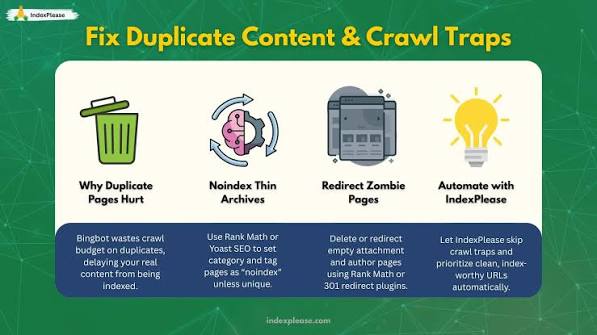
- Prevent deadweight pages from being crawlable in the first place.
For many sites, the right answer is a mix. A product page may need specs, shipping details, FAQs, and internal links to related items. A location page may need hours, address formatting, service area details, staff names, or local proof points. A category page may need intro copy, filters, and curated subcategory links. If the template cannot support uniqueness, the page may not deserve indexation.
One practical way to think about it: if 80 percent of the page is shared boilerplate and 20 percent is changed tokens, that is a warning sign. That ratio does not automatically kill indexing, but it often predicts weak performance. A page can be technically indexable and still not be worth Bing’s crawl budget.
So I would ask: is this URL a real destination, or just a database record with a layout? If it is the latter, either enrich it or stop expecting it to rank.
Quick check: if I removed the shared template chrome, would the page still offer enough unique value to stand alone?
Edge cases where the normal advice breaks down
When your site has one of these situations, then the standard checklist needs a twist. These are the cases that tend to confuse teams because the page can look fine from one angle and broken from another.
-
Massive faceted navigation
- Situation: filters generate thousands of URL combinations.
- What changes: crawl budget gets wasted on near-duplicates.
- The better move is to index only the curated category URLs, canonicalize or block low-value parameter combinations, and keep internal links pointed at clean paths.
-
Multilingual or multi-regional templates
- Situation: the same page exists in several languages or country versions.
- What changes: Bing needs clear language and region signals.
- The better move is to use correct
hreflang, localized canonicals, and region-specific internal linking. If you truly want one version only, then cross-canonicalization may be appropriate; otherwise, keep each language version self-consistent.
-
JavaScript-heavy SPA templates
- Situation: content arrives after route changes or API calls.
- What changes: the raw HTML may be too empty to interpret.
- The better move is to use server-side rendering or pre-rendering for the important content, not just the shell.
-
Pages with stock, price, or availability changing fast
- Situation: content changes hourly or daily.
- What changes: Bing may revisit, but stale signals can linger.
- The better move is to keep the canonical stable, expose the current state in HTML, and avoid generating a new URL for every transient change.
-
Expired seasonal or out-of-stock pages
- Situation: the page used to matter, but now it no longer should rank.
- What changes: indexability is no longer the goal.
- The better move is to 301 redirect to the nearest relevant live page, or return 410 if the page is gone for good. Do not leave a thin zombie page live just to preserve a URL.
-
Template pages with paid or gated access
- Situation: content sits behind login or a paywall.
- What changes: Bing may not see the full content.
- The better move is to decide whether a public summary page should exist. If not, do not expect indexation of the gated asset itself.
For standards and documentation, I would keep an eye on Bing Webmaster Guidelines and Microsoft’s documentation for URL inspection and sitemaps, plus the XML Sitemap protocol published by sitemaps.org. For rendering and structured data, Google’s Search Central and schema.org remain useful references even when the target engine is Bing, because the underlying HTML and schema rules are shared.
Quick check: is your problem about duplicate scale, localization, JavaScript rendering, or page retirement? Each one needs a different fix.
My practical Bing indexability checklist for templated pages
If you need the short version, I would run the pages through this order and stop as soon as something fails.
- Check the URL returns 200 OK and is not soft-404ing.
- Confirm no robots.txt rule blocks the template path.
- Confirm there is no noindex in meta tags or headers.
- The canonical tag should point to the preferred live URL.
- The XML sitemap should contain that same preferred URL.
- Internal links should point to the canonical version, not parameters or duplicates.
- Open the raw HTML and make sure the main content is visible without JavaScript.
- Check whether the template has enough unique value to deserve indexing at all.
- Submit or inspect the URL in Bing Webmaster Tools.
If step 8 is where the page fails, do not keep polishing crawl signals. Fix the page itself. If step 3 fails, that is a technical mistake that can block the whole template family. And if step 1 fails, the problem sits upstream of everything else, so nothing later will stick.
Drafted with AI; not yet reviewed by a person.

Related Posts

How to Tell Whether Bing Has Discovered a New Page
Bing indexing and crawl troubleshooting: The Complete Guide