How to Fix Bing Soft 404 and Low-Quality URL Issues
Last updated: October 13, 2026
Bing can decide a page is basically dead weight even while the server insists everything is fine. That mismatch is usually where the mess starts: thin copy, duplicate parameter URLs, weak error handling, or pages that look empty to a crawler. My first move would be to split “real pages Bing should keep” from URLs that belong as a true 404, a 410, or a redirect; after that, clean up the templates and signals that make valid pages look useless.
Key Takeaways
- Bing may treat a URL as a soft 404 when it behaves like an error page even with a 200 OK response.
- Match the response code to the page’s purpose, and replace dead ends with something genuinely useful.
- Low-quality URLs are live pages that look thin, duplicated, or disposable to search engines.
- When product, category, or location templates are the source, the fix is usually at the template level.
Soft 404s are rarely a single bug. More often, they come from a pile of issues: a page with almost no useful text, a product or category page with no inventory, an internal search page that returns junk, or a URL pattern Bing thinks is disposable. The right move depends on the kind of URL in front of you. Get that wrong, and the cleanup can backfire.
What Bing Is Actually Reacting To

Bing is calling a URL soft 404 when it thinks the page behaves like an error page, even if the server returns 200 OK. Low quality is different: the page is live, but it is too thin, repetitive, or plain unhelpful to keep in search results.
That split matters. A soft 404 is usually a status-and-content mismatch; a low-quality URL is more often a content issue, a duplication issue, or a crawl-signal problem. I’d treat them separately. And if the label is unclear, check Bing Webmaster Tools or talk to a technical SEO professional. Bing explains soft 404s in Bing Webmaster Tools Help and notes that error-like pages can be flagged even when they return 200.
Here is the simplest way to sort the issue:
| Situation | Best Path | Why Other Options Fail |
|---|---|---|
| Page is gone for good | Return 404 or 410 | Keeping a 200 page with “not found” copy can invite soft 404 flags |
| Page has a close replacement | 301 redirect to the closest match | Redirecting everything to the homepage looks manipulative |
| Page should exist but is thin | Improve content and structure | Noindex alone may hide the page, but it does not make it useful |
| URL is a parameter or filter variant | Canonicalize or block crawl carefully | Letting every variant index creates near-duplicates |
| Internal search results page | Usually noindex, often block crawl | Search results pages rarely deserve organic visibility |
If your site has many product, category, city, or tag pages, Bing often reacts to templates rather than one URL at a time. A page with 80 words and one image can feel fine to a human; to Bing, it may still look like a dead end. One URL that exists only to say “no results”? That is classic soft-404 bait.
Start with a URL audit in Bing Webmaster Tools, then crawl the site with Screaming Frog, Sitebulb, or a similar tool. Check response codes, titles, canonicals, meta robots tags, and visible main content on the same URLs. If the page says “Sorry, nothing here” and returns 200, Bing has a strong reason to call it soft 404. If the page has a normal title but only 40 words of copied text, the low-quality label makes sense.
Quick check: would a searcher feel stuck after clicking it? Bing probably feels the same way.
How do I fix Bing soft 404 pages?
Match the HTTP response to the page’s real purpose, then replace empty or dead-end content with something useful. If the page is truly gone, return 404 or 410. If it has a replacement, use a 301 redirect. If it should stay live, make it act like a real page instead of an error placeholder.
The biggest mistake is leaving a “not found” message on a 200 page. That route leads straight to a soft 404. Another common slip is redirecting every removed URL to the homepage. Lazy for users; noisy for crawlers. Bad trade-off.
Use this path if the URL is a deleted product, retired post, discontinued service page, or outdated location page:
- Decide whether the URL has a direct replacement, a category parent, or nothing at all.
- If it has a clear replacement, set a 301 redirect to the closest match.
- If it has no replacement, return a real 404 or 410 status instead of a 200 page, in line with Google Search Central guidance on removed content.
- Remove the URL from internal links, XML sitemaps, and navigation.
- Check Bing Webmaster Tools after recrawling to confirm the soft 404 signal drops.
If the page is still supposed to rank, then content has to carry the load. I’d want a specific title, a useful summary, unique main text, and enough context for the page to stand on its own. Product pages usually need specs, availability, price, shipping details, and answers to common questions. Location pages need unique service details, local references, and contact information — not copied city names with swapped addresses.
One caveat: a 410 is often cleaner than a 404 for content you know will never come back, but not every CMS handles it neatly. If your platform makes 410 hard to serve, a proper 404 is still better than a fake page with “page not found” text.
Quick check: if you would never put the URL in a menu because it offers nothing, it probably should not be a 200 page.
Why Bing flags low-quality URLs even when the page loads
Bing flags low-quality URLs when the page technically works but looks disposable, duplicated, or too thin to deserve search visibility. If the page opens in a browser yet gives very little unique value, Bing may keep crawling it and still treat it as low quality; if the classification is unclear, check Bing Webmaster Tools or a technical SEO specialist.
This is the part many generic guides miss: low quality is often a URL-pattern problem, not just a writing problem. A site can have decent individual pages and still produce junk through tag archives, internal search results, filter combinations, session IDs, and endless pagination. It’s like a factory making one good part and fifty bent ones.
Common low-quality patterns include:
- pages with very little unique body text
- doorway pages made for one keyword and one city
- duplicates with only a parameter changed
- faceted navigation URLs that create hundreds of near-copies
- pages made only to show ads, affiliate links, or internal links
If those patterns exist, I would not start by rewriting every page. First, decide which URL types deserve indexation at all.
For parameter and filter pages, use one of three moves:
- Canonical to the main version if the variant is not meant to rank.
- Noindex if the page must exist for users but should stay out of search.
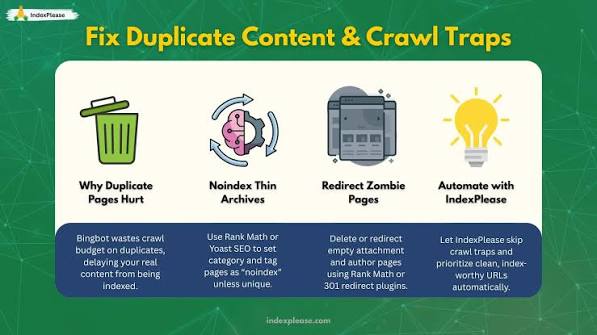
- Block crawl only when the parameter combinations are exploding crawl waste.
The trade-off is real: blocking crawl is not the same as removing indexation, and noindex is not the same as making a page high quality. I would not hang everything on one tag and hope for magic.
A practical benchmark helps here. If a page category can be described in one sentence without losing much meaning, the page may be too thin for organic search. That is not a hard rule, but it is a useful warning sign. A 150-word tag page rarely competes well unless it serves a very narrow intent and has strong supporting signals.
Quick check: if changing a URL parameter barely changes the page, Bing may see a copy, not a destination.
If your site has product, category, or location pages, do this first
If soft 404s are coming from product, category, or location templates, the fix is usually at the template level, not page by page. Weak template, weak pages. Every time.
This is where I would focus first:
- Product pages with no stock
- Category pages with no products
- Location pages with almost identical copy
- Service pages that read like keyword variations
- Internal search result pages that return sparse results
Use this process when a template creates many bad URLs:
- List the URL types Bing is surfacing in Bing Webmaster Tools.
- Group them by template: product, category, tag, city, search, filter, or article.
- Inspect one strong example and one weak example from each group.
- Decide whether the template should rank, stay visible only for users, or disappear.
- Change the template once, then let the fix apply across the whole URL set.
- Update sitemaps, internal links, canonicals, and navigation so they agree.
Product pages with no inventory can still help if they tell the user what happened and point to alternatives. A “currently unavailable” page that suggests related products, delivery dates, or category links may stay useful. A dead product page with a headline and nothing else tends to look like a soft 404.
Location pages are where copy-paste scale gets ugly. If the only thing that changes is the city name, Bing may distrust the page. I would add local proof: service area details, unique FAQs, staff or branch information, and local contact routes. If none of that exists, I’d consolidate the page into a stronger parent page instead of trying to save a weak clone.
Quick check: if one template spits out dozens of near-identical URLs, that template is the problem.
Edge cases where the normal advice breaks down
If your site has one of these cases, the usual “add more content” advice is too simple. The right move changes.
-
Expired event pages
Situation → the event is over and will not repeat.
What changes → a redirect to the homepage usually confuses users.
What to do instead → return 404 or 410, or archive the page only if the page has genuine ongoing value, such as year-over-year reference details. -
E-commerce out-of-stock pages
Situation → the product is temporarily unavailable.
What changes → the page may still be useful.
What to do instead → keep the page live, add stock status, alternatives, and expected restock info if you have it. -
Large filter sets in faceted navigation
Situation → filters create thousands of crawlable combinations.
What changes → low-quality signals come from scale, not just content.
What to do instead → canonicalize the main versions, restrict crawl on wasteful combinations, and keep only combinations with real search demand. -
Internal site search results
Situation → users can search your site, but the search result pages are thin.
What changes → those pages are meant for interaction, not search traffic.
What to do instead → noindex them and avoid letting them flood Bing’s crawl paths. -
Local landing pages made for multiple cities
Situation → each page uses the same copy with a city swap.
What changes → Bing may treat the set as doorway pages.
What to do instead → merge weak pages, keep only pages with distinct local value, and add a single stronger service-area page where needed. -
Soft 404s on migrated sites
Situation → old URLs were changed during a migration.
What changes → redirect chains and bad mappings can create false soft 404s.
What to do instead → build a one-to-one redirect map, avoid loops, and confirm the final destination returns a useful 200 page.
Quick check: if the URL exists mainly for scale, filters, or legacy reasons, standard on-page advice is probably not enough.
What to change in Bing Webmaster Tools and on the server
If Bing still reports the problem after you fix the pages, the leftovers are often signal lag, bad redirects, or crawl paths that still point at the wrong URLs. The server and Bing Webmaster Tools both need to agree with the page state.
I would work through this checklist:
- Inspect the flagged URLs in Bing Webmaster Tools and note whether the issue is soft 404, crawl error, or low quality.
- Crawl the site with Screaming Frog or Sitebulb and compare title tags, response codes, canonicals, meta robots, and content length.
- Fix the server response first: 404, 410, 301, or 200 should match the page’s real status.
- Remove broken internal links so Bing does not keep finding dead URLs.
- Update the XML sitemap so it includes only URLs you want indexed.
- Request recrawl for the important fixed URLs and wait for Bing to process the changes.
If you use a CMS like WordPress, Shopify, or a custom platform, I’d also check whether the theme creates empty category pages, orphaned archives, or search result URLs. Those are common low-quality sources that survive long after the main content is fixed. Google Search Central, Bing Webmaster Tools, and site audit tools all point to the same practical outcome: fix the template, not just the symptom.
A useful standard here is simple: the page should serve a purpose that survives the removal of the keyword. If the URL only exists to catch a phrase, it is probably weak. If it helps a user complete a task, it has a better shot.
I would not expect instant cleanup. Search systems reprocess pages on their own schedule, and Bing may need time to revisit the URL. That is normal.
Quick check: if the server says one thing, the page says another, and the sitemap says a third, Bing will keep distrusting the URL.
How I would prioritize the fixes if the site is large
If you have hundreds or thousands of flagged URLs, priority matters more than perfection. I would fix the pages that affect the most crawl budget and the most user intent first.
My order would be:
- Hard-error pages that should return 404 or 410 but still return 200.
- Redirect chains and bad legacy URLs.
- Thin template pages that generate many duplicates.
- Parameter and filter URLs that create crawl waste.
- Individual low-value pages with no strong inbound links.
- Minor copy improvements on pages that are already structurally sound.
That order is practical because a template fix can clean up 500 URLs faster than rewriting 500 pages one by one. A bad redirect map can also poison a migration for months, so I would not leave it until the end.
The one place I’d stay conservative is noindex. Useful, yes. A universal cleanup tool? Not even close.
Drafted with AI; not yet reviewed by a person.

Related Posts

How to Tell Whether Bing Has Discovered a New Page

Bing indexing and crawl troubleshooting: The Complete Guide